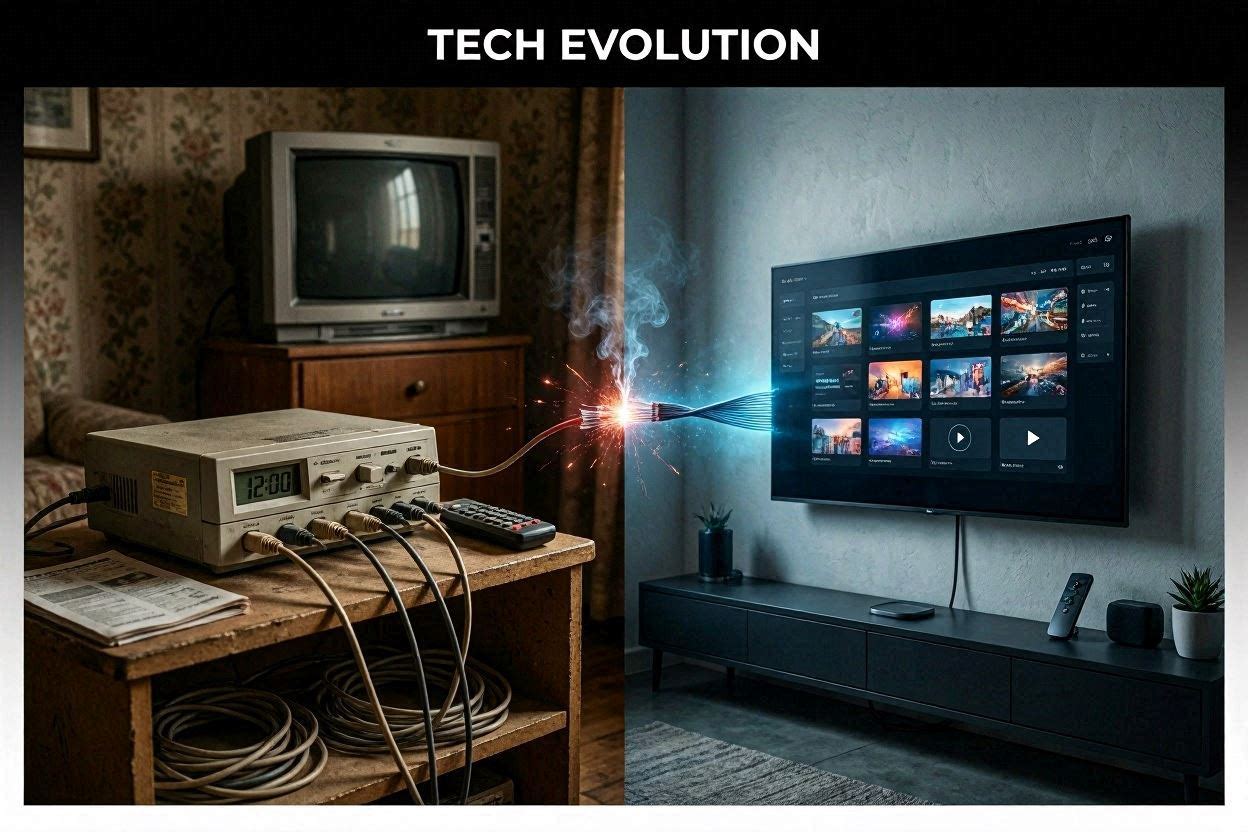
IPTV vs Cable TV in USA 2026: Why Americans Are Switching
I cancelled my Comcast subscription three years ago. My bill had just hit $187/month for channels I barely watched. Today, I pay under $9/month for IPTV and get more channels, better picture quality, and zero contracts. I’m not alone — millions of Americans are making the same switch in 2026.
If you’re still paying $150+ per month for cable and wondering whether IPTV is actually worth it, this guide breaks down everything. I’ll compare costs, features, reliability, and tell you exactly who should (and shouldn’t) make the switch. No fluff, just real numbers and my honest experience after three years cord-free.
Quick answer: For most American households, IPTV is better than cable TV in 2026. You’ll save $1,000-2,000 per year, get more content, and keep full control over what you watch. The only real trade-off is needing decent internet (25+ Mbps).
The State of Cable TV in 2026: A Dying Industry
Let’s look at the numbers, because they tell a brutal story for cable companies.
Cable TV subscriber losses since 2020:
- 2020: 76 million US cable subscribers
- 2022: 62 million subscribers (-18%)
- 2024: 48 million subscribers (-37%)
- 2026 (projected): 34 million subscribers (-55% from peak)
That’s not a slow decline. That’s a collapse. More than half of cable’s customer base has evaporated in six years.
Meanwhile, the average cable bill keeps climbing. Comcast/Xfinity’s average bill sits around $145/month in 2026. Spectrum charges $130-175/month for their better packages. DirecTV? $160-200/month after their “promotional period” ends (usually after 12 months).
Here’s what kills me: these companies keep raising prices while losing customers. Cox just increased rates by 8% this year. Spectrum bumped theirs up $5/month across all tiers. They’re squeezing the remaining subscribers harder to make up for everyone who left.
The math doesn’t work for families anymore. When your cable bill costs more than your car payment, something’s broken.
Side-by-Side Comparison: IPTV vs Cable TV
Here’s a direct comparison across every category that matters. I’m using VexoraTV as the IPTV benchmark since it’s what I use daily, compared against the “Big 4” cable providers (Xfinity, Spectrum, DirecTV, Cox).
| Feature | Cable TV (Average) | IPTV (VexoraTV) | Winner |
|---|---|---|---|
| Monthly Cost | $100-200/month | $5.83-8.33/month | IPTV |
| Channels Available | 150-300 channels | 22,000+ channels | IPTV |
| On-Demand Library | 5,000-15,000 titles | 150,000+ titles | IPTV |
| Video Quality | HD/Some 4K | 4K/UHD/FHD/HD | Tie |
| Contract Required | 1-2 year contracts typical | No contracts ever | IPTV |
| Equipment Fees | $10-25/month per box | $0 (use your own devices) | IPTV |
| Installation | $50-100 + scheduling wait | Instant (5 minutes) | IPTV |
| Multi-Device | Extra $$ per TV | Multiple connections included | IPTV |
| International Channels | Limited add-on packages | 40+ countries included | IPTV |
| DVR Storage | Included (limited hours) | Catch-up/VOD replaces DVR | Tie |
| Sports Coverage | Good (regional restrictions) | Excellent (no blackouts) | IPTV |
| Customer Support | Phone trees, long waits | 24/7 live support | IPTV |
| Cancellation | Early termination fees ($200+) | Cancel anytime, no fees | IPTV |
| Privacy | Data tracked and sold | Built-in VPN included | IPTV |
IPTV wins 11 out of 14 categories. Cable only ties on video quality (and even that’s arguable now with 4K IPTV streams) and DVR functionality.
Cost Breakdown: The Real Numbers Will Shock You
This is where the cable vs IPTV debate gets painful for cable defenders. Let me show you what a typical American family actually pays.
Typical Cable TV Monthly Bill (2026)
| Line Item | Monthly Cost |
|---|---|
| Base TV Package (200+ channels) | $85-130 |
| HD/4K Add-on | $10-12 |
| DVR Service | $15-20 |
| Equipment Rental (2 boxes) | $20-30 |
| Regional Sports Fee | $10-15 |
| Broadcast TV Fee | $15-25 |
| Taxes & Surcharges | $8-15 |
| TOTAL | $163-247/month |
Most people see their “base price” and don’t realize they’re paying double once all the hidden fees stack up. Xfinity is notorious for this — they advertise “$49.99/month” but your actual bill lands around $130+ after fees.
IPTV Monthly Cost (VexoraTV)
| Plan | Total Price | Monthly Cost |
|---|---|---|
| 3-Month Plan | $25 | $8.33/month |
| 6-Month Plan | $45 | $7.50/month |
| 12-Month Plan | $70 | $5.83/month |
No hidden fees. No equipment rental. No broadcast surcharges. No regional sports fees. What you see is what you pay.
Annual Savings: Cable vs IPTV
Let’s do the math with conservative numbers:
- Average cable bill: $165/month = $1,980/year
- VexoraTV (12-month plan): $70/year
- Annual savings: $1,910
That’s nearly two thousand dollars back in your pocket every single year. Over five years, you’d save $9,550. That’s a vacation. A used car. A semester of community college for your kid.
Even if you go with the 3-month IPTV plan at $8.33/month ($100/year), you’re still saving $1,880 annually compared to cable.
Feature Comparison: What You Actually Get
Channel Count & Variety
Cable: Spectrum’s best package offers about 200 channels. Xfinity tops out around 260. DirecTV’s Premier package hits 330. Sounds decent until you realize 40% of those are shopping channels, religious programming, and infomercials nobody watches.
IPTV (VexoraTV): 22,000+ live channels from 40+ countries. Every sports network, every entertainment channel, international content in dozens of languages. You couldn’t watch it all in a lifetime.
Video Quality
Cable companies have been slow to upgrade. Most cable content still broadcasts in 720p or 1080i (not even true 1080p). Some providers offer a handful of 4K channels, but you’ll pay extra for the privilege.
Modern IPTV services like VexoraTV stream in 4K UHD, Full HD 1080p, and HD across most channels. Combined with their Anti-Freeze technology, buffering is rarely an issue even during peak hours.
On-Demand & VOD
Cable on-demand libraries are embarrassingly small. You’ll find maybe 2,000-5,000 titles available at any time, and they rotate out quickly. Want to watch something from last season? Tough luck.
VexoraTV offers 150,000+ VOD titles — movies, TV series, documentaries, kids’ content. It’s like having Netflix, Hulu, HBO Max, and Disney+ all wrapped into one service that costs less than any single one of them.
Multi-Device Support
Cable’s biggest scam? Charging you $10-25/month for EACH additional TV in your house. Want cable in the bedroom, living room, and basement? That’s $30-75/month just in equipment fees.
IPTV works on any device you already own — smart TVs, Fire Sticks, Roku, phones, tablets, laptops, Android boxes. No extra equipment fees. Your whole family watches on their own devices simultaneously.
Contracts & Flexibility
DirecTV locks you into 2-year contracts with early termination fees of $20/month remaining. Spectrum eliminated contracts but requires you to return equipment or face $200+ charges. Cox’s “Price Lock Guarantee” still requires a 2-year commitment.
IPTV? Zero contracts. Ever. Don’t like it after a month? Just don’t renew. There’s nothing to return, no fees to pay, no call center to argue with.
Pros and Cons of Cable TV in 2026
Cable TV Pros
- Reliability: Cable signal doesn’t depend on internet speed. If your internet goes down, cable TV still works.
- Local channels included: All major network affiliates (ABC, CBS, NBC, FOX) come standard.
- Established DVR systems: Record shows, pause live TV — it works well and it’s familiar.
- Bundling discounts: If you already need internet from the same provider, a bundle can save some money (though not much in 2026).
- Sports legitimacy: Regional sports networks (RSNs) have traditional cable deals, meaning no blackout worries within your region.
Cable TV Cons
- Outrageously expensive: $150-250/month for a service that was $60/month ten years ago.
- Hidden fees everywhere: Broadcast fees, regional sports fees, HD fees, equipment fees — they add 40-60% to your base price.
- Long-term contracts: Most providers lock you in for 1-2 years with steep cancellation penalties.
- Limited content: 150-330 channels sounds like a lot until you realize you watch maybe 15-20 of them.
- Equipment rental trap: You’ll never own the box, and you’ll pay $15-25/month for it forever.
- Terrible customer service: Hour-long wait times, pushy retention agents, and billing “errors” that always favor the company.
- Scheduled programming: Miss a show? Hope they replay it, because on-demand libraries are thin.
- Installation headaches: Wait 2-4 days for a technician who shows up during a 4-hour window.
Pros and Cons of IPTV in 2026
IPTV Pros
- Incredibly affordable: $6-25/month for more content than any cable package offers.
- Massive channel selection: 10,000-22,000+ channels from around the world.
- Huge VOD libraries: 100,000+ movies and shows available on-demand, anytime.
- No contracts or commitments: Pay as you go. Cancel whenever you want.
- Works on all your devices: Smart TV, phone, tablet, Fire Stick, computer — no extra equipment needed.
- Instant setup: Sign up and start watching in minutes. No technician visit required.
- 4K streaming: More 4K content than cable currently offers.
- Watch anywhere: Travel? Take your IPTV with you. Works on hotel WiFi, mobile data, anywhere.
- International content: Channels from 40+ countries included at no extra cost.
- No data selling: Good IPTV services (especially those with built-in VPN) don’t track and sell your viewing habits.
IPTV Cons
- Requires internet: You need at least 25 Mbps for HD and 50+ Mbps for reliable 4K streaming.
- Quality varies by provider: Not all IPTV services are equal — some are unreliable or have poor stream quality.
- Learning curve: If you’ve used cable for decades, IPTV apps take a day or two to get comfortable with.
- Occasional buffering: During major sports events, some providers experience load issues (though premium services like VexoraTV handle this with Anti-Freeze tech).
- No traditional DVR: Most IPTV services use catch-up TV and VOD instead of traditional recording.
Who Should Switch to IPTV (And Who Shouldn’t)
You Should Definitely Switch If:
- Your cable bill exceeds $100/month — You’re overpaying by at least $90/month for less content.
- You have reliable internet (25+ Mbps) — That’s the only technical requirement.
- You hate contracts and hidden fees — IPTV has neither.
- You watch international content — Cable charges $20-40/month extra for international packages. IPTV includes them.
- You want sports without blackouts — IPTV typically doesn’t enforce regional blackout restrictions.
- You have multiple TVs/devices — Stop paying $15-25/month per extra cable box.
- You travel frequently — Watch from anywhere, not just your home.
- You’re tech-comfortable — If you can use Netflix or YouTube, you can use IPTV.
You Might Want to Keep Cable If:
- Your internet is unreliable or slow — Under 15 Mbps? IPTV won’t work well for you.
- You live in a rural area with no broadband — Satellite internet usually can’t handle streaming.
- You’re 100% dependent on DVR recording — If you MUST record specific shows to watch later in a traditional way, cable DVR is still more straightforward.
- You’re not willing to learn anything new — If changing a TV input sounds overwhelming, the transition might frustrate you.
- You get cable free or deeply discounted — Some employers, apartments, or bundles include cable at near-zero cost.
For about 80% of American households, IPTV is the better choice in 2026. The other 20% have specific circumstances (rural location, very slow internet, or extreme tech-aversion) where cable still makes sense.
How to Make the Switch: Step-by-Step Guide
Ready to cut the cord? Here’s exactly how I did it, and how you can do it this weekend.
Step 1: Check Your Internet Speed
Go to speedtest.net and run a test. You want:
- 25 Mbps minimum for HD streaming
- 50 Mbps+ for 4K streaming
- 100 Mbps+ for multiple devices streaming at once
If you’re above 50 Mbps, you’re golden. Most Americans have 100+ Mbps these days, so this won’t be an issue for the majority.
Step 2: Try IPTV Before You Cancel Cable
This is crucial — don’t cancel cable first. Sign up for an IPTV free trial and run both services for a day or two. VexoraTV offers a 24-hour free trial so you can test everything without spending a dime.
During your trial, test:
- Your most-watched channels — are they all there?
- Picture quality — does it match or beat your cable?
- Sports streams during live events
- Multiple devices at the same time
- Peak evening hours (7-10 PM) when internet is busiest
Step 3: Get a Streaming Device (If Needed)
You might already have everything you need. IPTV works on:
- Amazon Fire TV Stick ($30-50) — my top recommendation for beginners
- Android TV / Google TV devices
- Smart TVs (Samsung, LG, etc.)
- Roku (with compatible apps)
- iPhones, iPads, Android phones/tablets
- Windows and Mac computers
- MAG boxes and Formuler devices
If you already have a smart TV or Fire Stick, you’re set. No purchase necessary.
Step 4: Subscribe to Your Chosen IPTV Service
Once you’ve confirmed everything works during your trial, pick a plan. I’d suggest starting with a 3-month subscription — it’s cheap enough to commit to, and long enough to truly evaluate the service in your daily life.
Step 5: Cancel Cable
Now the fun part. Call your cable provider and cancel. Some tips:
- Check your contract end date — time your cancellation to avoid early termination fees.
- Return all equipment promptly — get a receipt. Cable companies are infamous for charging you for “unreturned” equipment months later.
- Don’t let the retention agent talk you into a discount — even their “best offer” will be 5-10x more expensive than IPTV.
- Keep your internet service — you need it for IPTV. Just drop the TV portion of your bundle.
- Get cancellation confirmation in writing — email or reference number. Trust me on this one.
Step 6: Enjoy Your Savings
That’s it. The whole process takes about 30 minutes of actual effort (plus whatever time you spend on hold with Comcast’s cancellation department). After that, you’re saving $100-200 every single month.
Our Top IPTV Recommendation: VexoraTV
I’ve tested over a dozen IPTV services since cutting cable in 2023. Some were terrible (constant buffering, channels going offline, zero support). Some were decent but overpriced. VexoraTV is the one I’ve stuck with, and the one I recommend to everyone who asks.
Here’s why it stands out as the best IPTV service in the USA for 2026:
What Makes VexoraTV the Best Cable Replacement
- 22,000+ live channels — Every US channel plus content from 40+ countries. Sports, news, entertainment, kids — it’s all there.
- 150,000+ VOD titles — Movies and series on-demand. New releases show up fast.
- 4K/UHD/FHD streaming — Crystal-clear picture quality that matches or beats cable.
- Anti-Freeze technology — This is the big one. Their proprietary tech prevents buffering during peak hours and live events. I’ve watched Super Bowl streams, NBA playoffs, and UFC fights without a single freeze.
- Built-in VPN — Privacy protection included at no extra cost. Your ISP can’t see what you’re streaming.
- Works on ALL devices — Fire Stick, smart TV, phone, tablet, computer, Android box. Set it up once and it works everywhere.
- 24/7 live support — Real humans who respond quickly. Not a bot sending you FAQ links.
- 24-hour free trial — Test everything risk-free before paying a cent.
VexoraTV Pricing
| Plan | Price | Per Month | Savings vs Cable* |
|---|---|---|---|
| 3 Months | $25 | $8.33 | $470 saved |
| 6 Months | $45 | $7.50 | $945 saved |
| 12 Months | $70 | $5.83 | $1,910 saved |
*Savings calculated vs. average US cable bill of $165/month
The 12-month plan is the best value — $70 for an entire year of TV. That’s less than what most people pay for a single month of cable. It’s honestly absurd how much cheaper this is.
Try VexoraTV free for 24 hours here — no credit card needed for the trial.
Frequently Asked Questions: IPTV vs Cable
Is IPTV legal in the USA?
IPTV technology itself is 100% legal. It’s simply a method of delivering television content over the internet. Major companies like YouTube TV, Hulu Live, and Sling TV are all IPTV services. The legality depends on the specific provider and how they license content. Services like VexoraTV that have been operating reliably for years with proper infrastructure are well-established in the market.
What internet speed do I need for IPTV?
For HD streaming: 25 Mbps minimum. For 4K: 50 Mbps. For multiple devices streaming at once: 100+ Mbps. The average US internet speed in 2026 is over 200 Mbps, so most households are well above the requirement. If you can stream Netflix without issues, you can run IPTV without issues.
Is IPTV as reliable as cable?
In 2026? Yes, premium IPTV services are just as reliable as cable for most users. The key is choosing a reputable provider with good server infrastructure. Budget providers with hundreds of cheap channels often have stability issues. Premium services like VexoraTV use Anti-Freeze technology and multiple server redundancies to maintain 99%+ uptime.
Can I watch live sports on IPTV?
Absolutely. NFL, NBA, MLB, NHL, UFC, Premier League, Champions League, F1 — all available on quality IPTV services. The bonus? Most IPTV services don’t enforce regional blackout restrictions, so you can watch your home team even when the game is “blacked out” on cable.
Will I lose my local channels?
No. Good IPTV services carry local US network affiliates. But here’s a backup tip: buy a $20 digital antenna. You’ll get all local channels (ABC, CBS, NBC, FOX, PBS) in HD for free, forever. Many cord-cutters use IPTV + antenna as the perfect combo.
What devices work with IPTV?
Pretty much everything: Amazon Fire TV Stick, Android TV, Apple TV, smart TVs (Samsung, LG, Sony), Roku, smartphones, tablets, computers, MAG boxes, and Formuler devices. If it connects to the internet and has a screen, it probably works with IPTV.
How do I cancel cable without paying fees?
Check your contract end date first. If you’re past your commitment period, you can cancel penalty-free (just return equipment promptly). If you’re mid-contract, wait until it expires, or calculate whether the early termination fee is still cheaper than continuing to pay monthly. Often, paying $100-200 to break free saves you money within 1-2 months of IPTV pricing.
Can I use IPTV and cable at the same time?
Yes! Many people run both during a transition period. This is actually what I recommend — try IPTV for a week while you still have cable. Once you’re confident everything works, then cancel cable. There’s no conflict between the two services since they use different delivery methods.
Final Verdict: IPTV or Cable in 2026?
I’ll be direct: cable TV is a dying product being sold at luxury prices in 2026. The value proposition collapsed years ago, and providers are squeezing remaining subscribers harder every quarter to compensate for mass cancellations.
IPTV isn’t just “good enough” anymore — it’s genuinely better than cable in almost every measurable way. More channels, more on-demand content, better pricing, no contracts, and flexibility that cable physically cannot offer.
The only real question is: can your internet handle it? If you have 25+ Mbps (and 92% of US households do), the answer is yes.
My recommendation? Try VexoraTV’s free 24-hour trial. Spend an evening testing it alongside your cable. Watch your usual channels, try some sports, browse the on-demand library. Then look at your cable bill and ask yourself if it’s worth paying 20x more for less content.
For me, the answer was obvious three years ago. Based on the thousands of Americans switching every week, it’s obvious to them too.
Related reading: Best IPTV Services in USA 2026 — Full Comparison Guide